Your business on ViaOttawa
Why your business is listed
Most listings here were not added by the business they describe. They come from public records, so a business can be listed without anyone asking it first, and without paying.
- City of Ottawa open data: business and facility records, and the public health inspection records of food premises. The inspection records do not say what kind of business a premises is, so a listing from them can land in the wrong category.
- OpenStreetMap: places mapped by volunteers, shown on their own pages and labelled.
- A business's own website: facts it publishes openly, such as hours and services, credited to the site.
- Owners: a business that adds or claims its listing writes its own details, and they take priority over everything above.
The about page has the licence for each source. If your page is wrong, the quickest fix is to claim it or to tell us.
Claim your listing
Claiming makes the page yours to edit. It is free, and a free listing stays free.
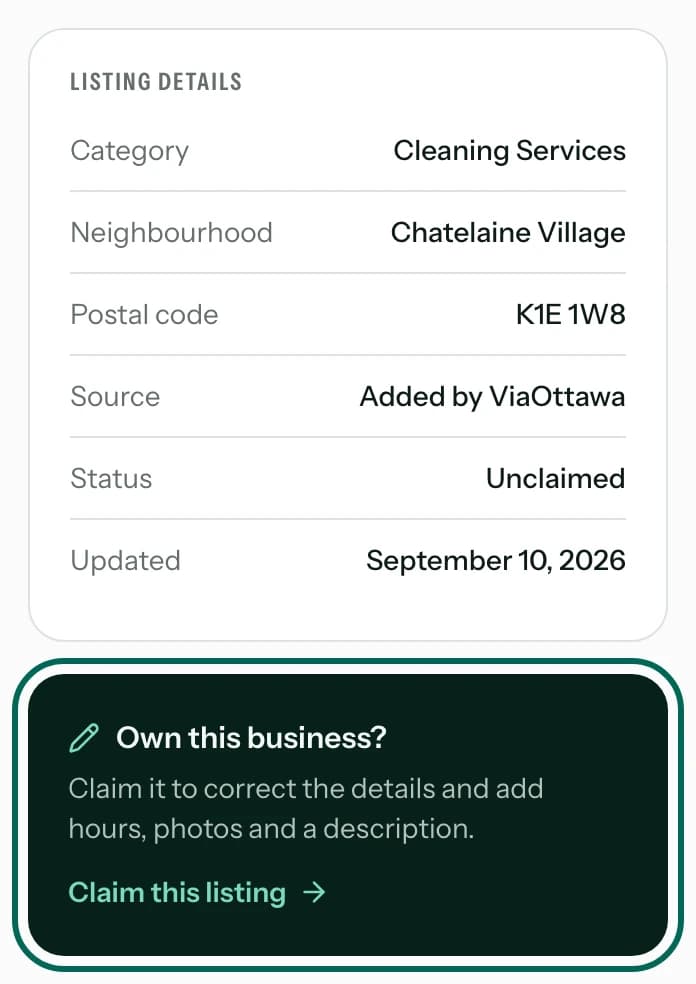
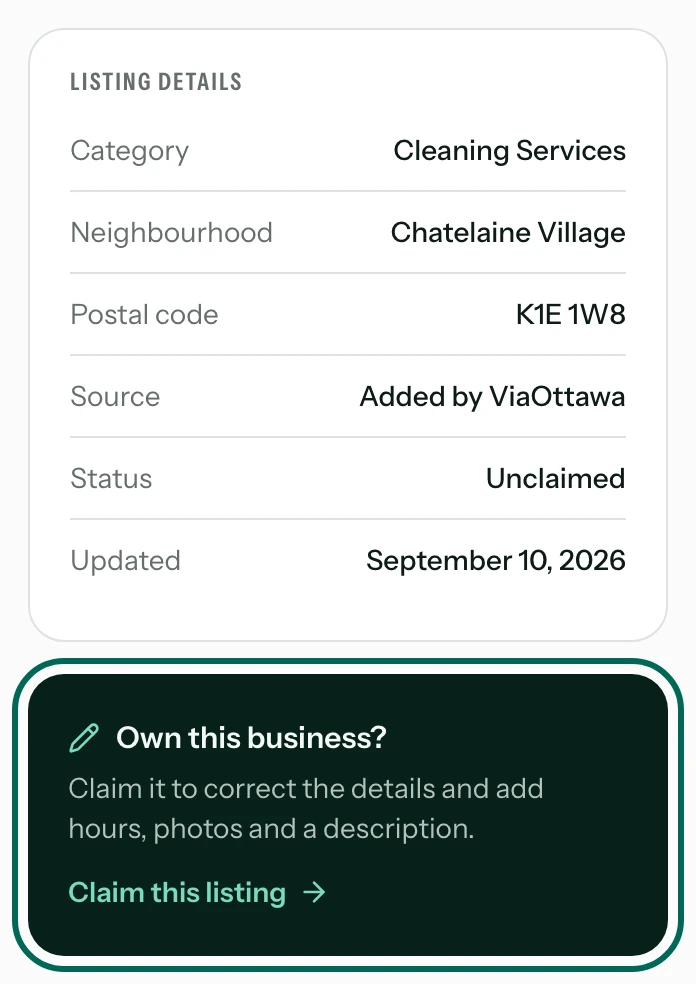
Open your page and press Claim this listing
Find your business with the search. On its page, the box beside the details asks Own this business? and its link starts the claim. A City of Ottawa park has no such box, because the City runs it.
Not listed at all? Add your business instead.
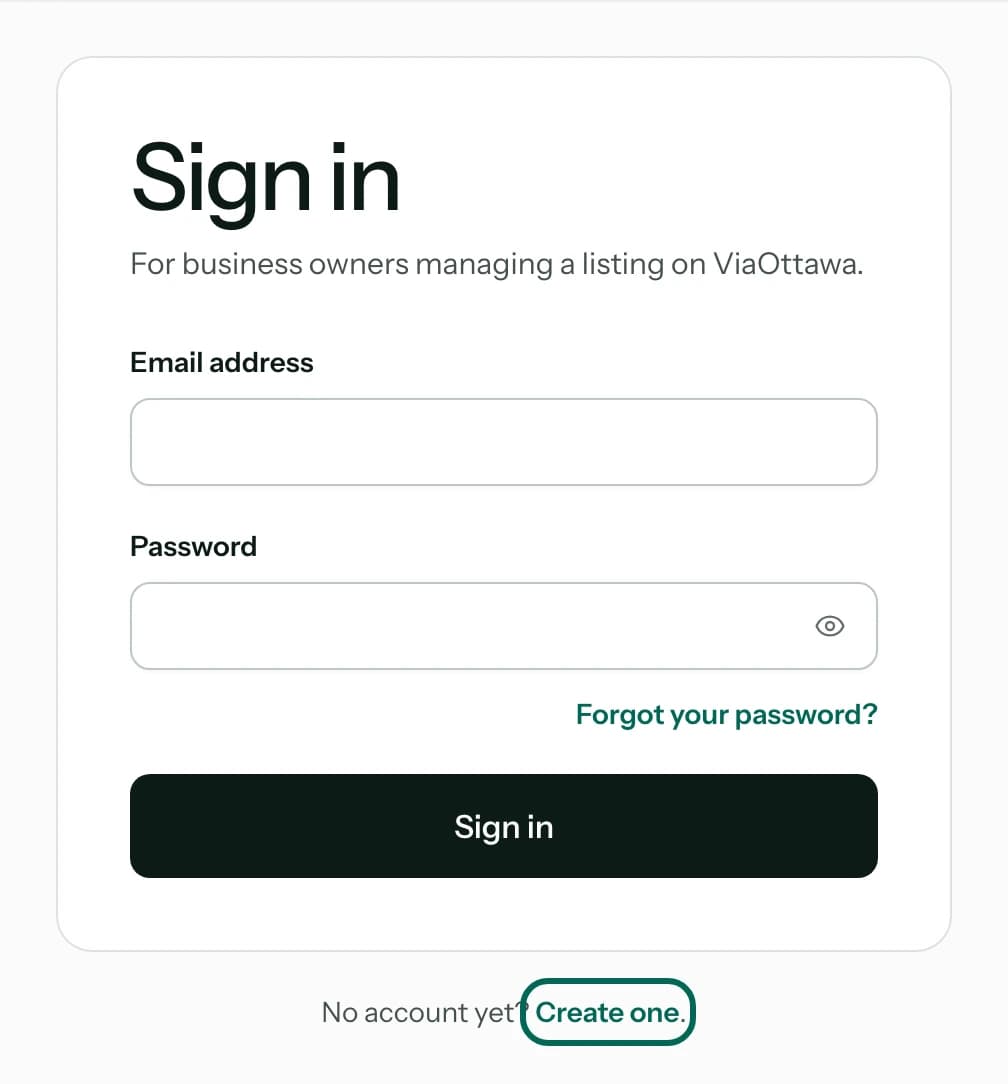
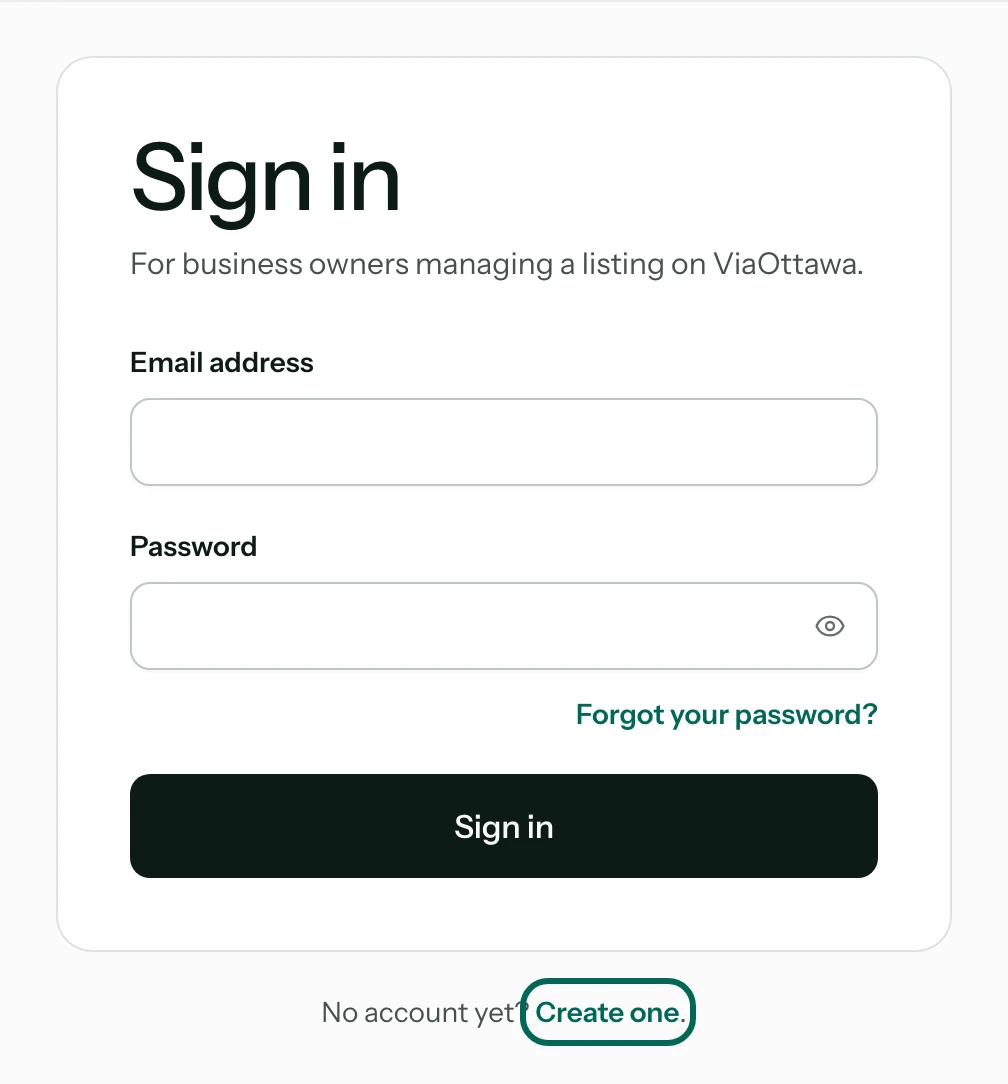
Sign in, or create an account
A claim belongs to an account. If you have none, press Create one and use an email address you read, ideally your business's own, because the next steps send links to it. Once you confirm the address, you come back to the claim form.
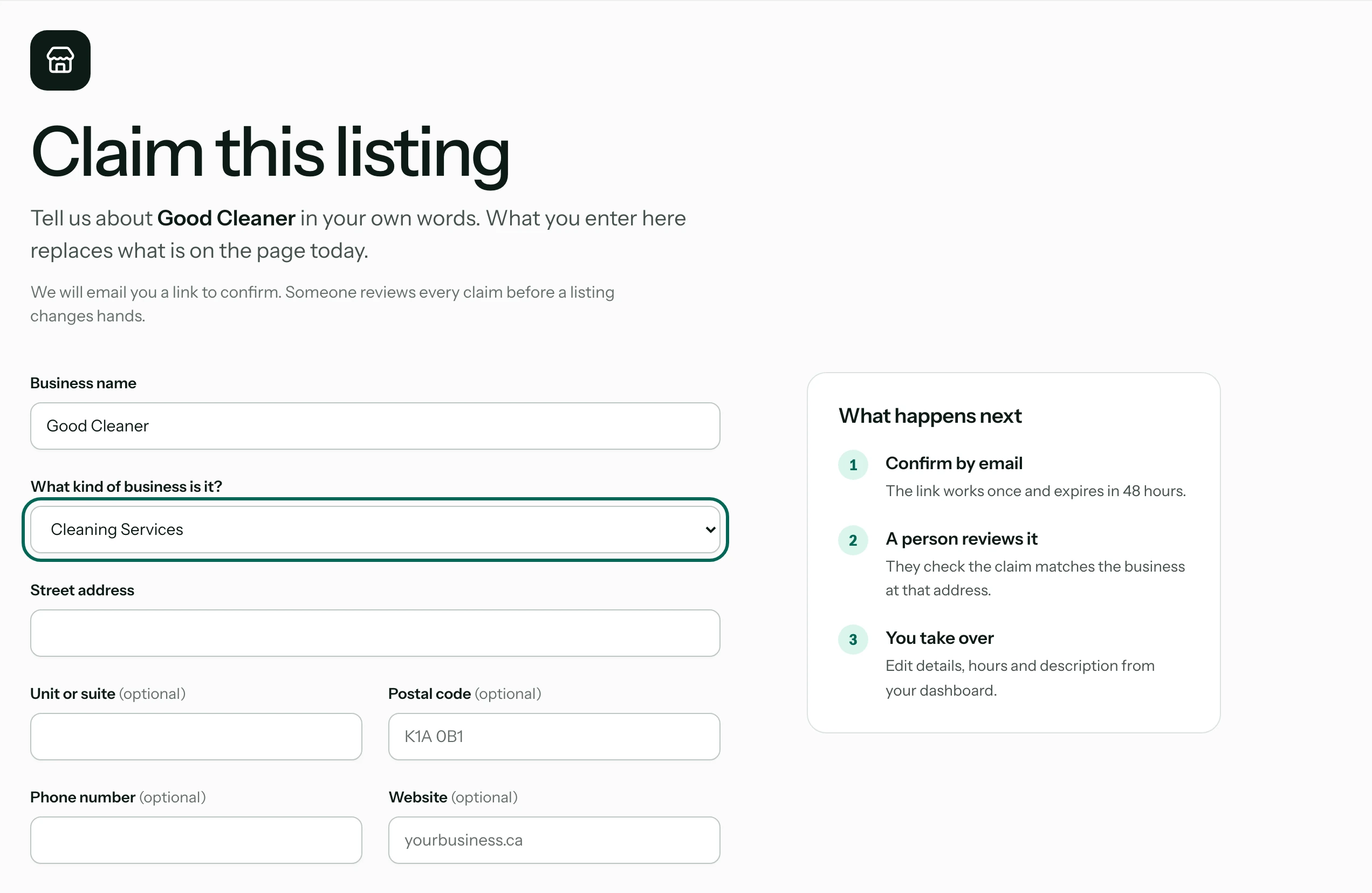
Tell us about your business
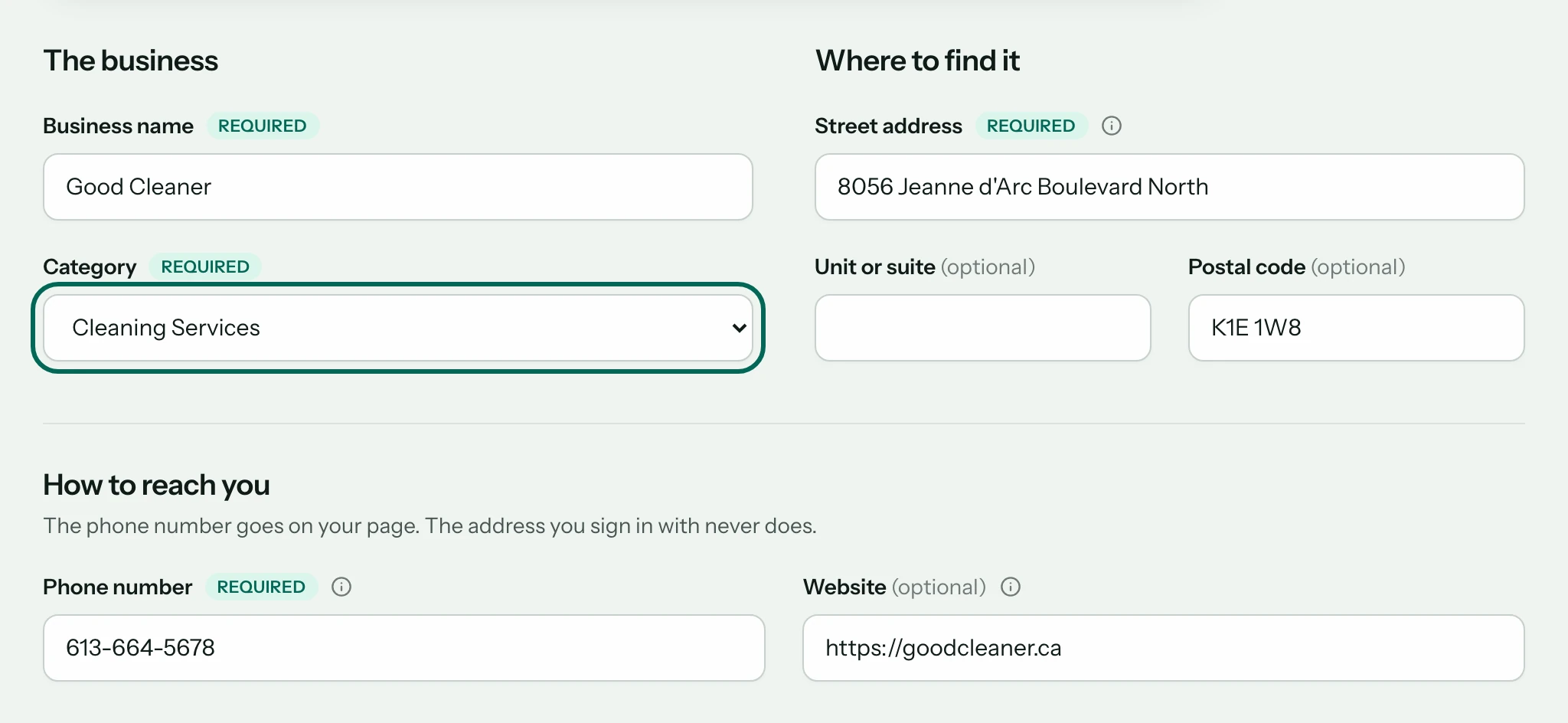
Enter your business's details as they are today: its name, what kind of business it is, its address and phone number. What you enter replaces what the page shows now, so this is also where a wrong category is put right.
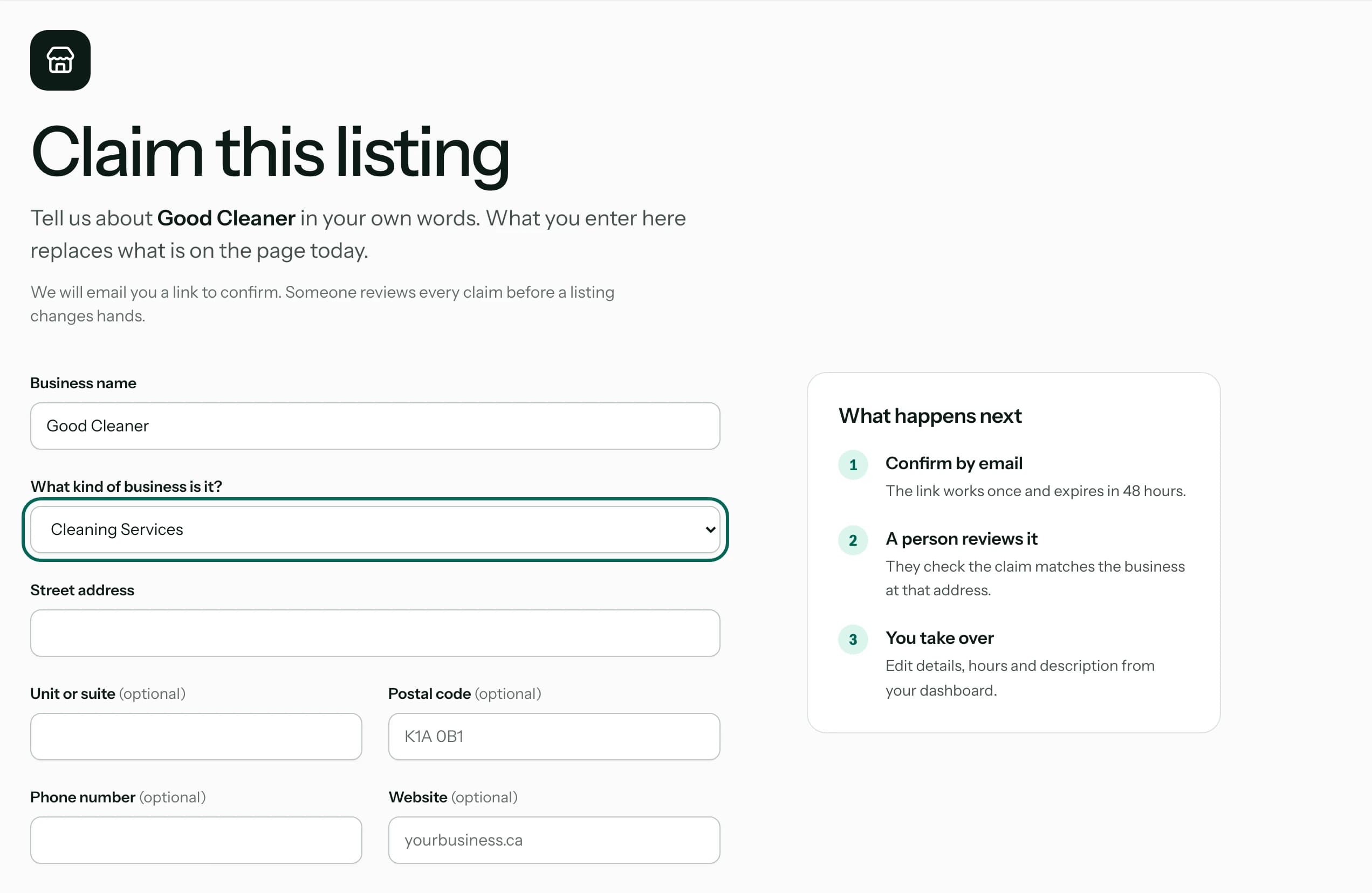
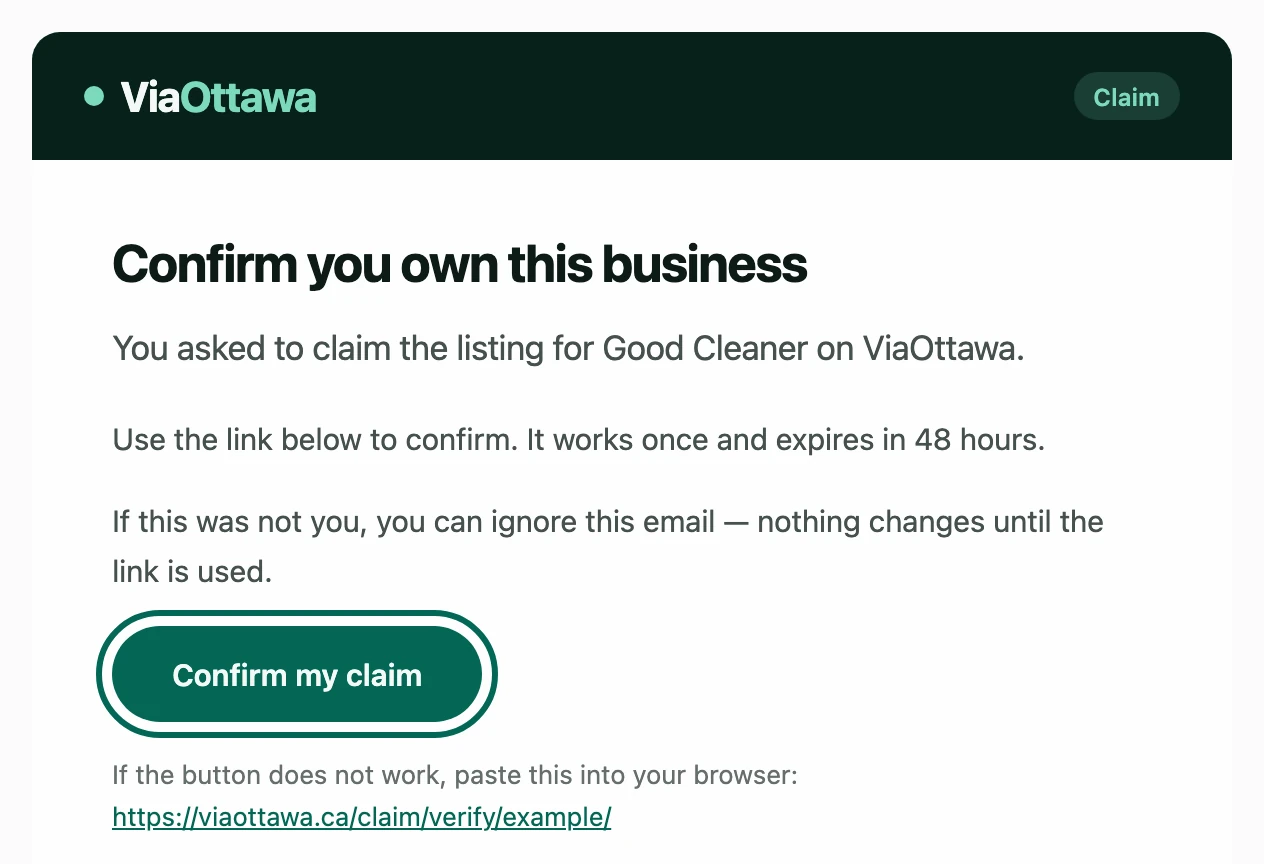
Confirm by email
We email you Confirm your claim. Press Confirm my claim in it: the link works once and expires in 48 hours. If it has not arrived after a few minutes, look in your spam folder.
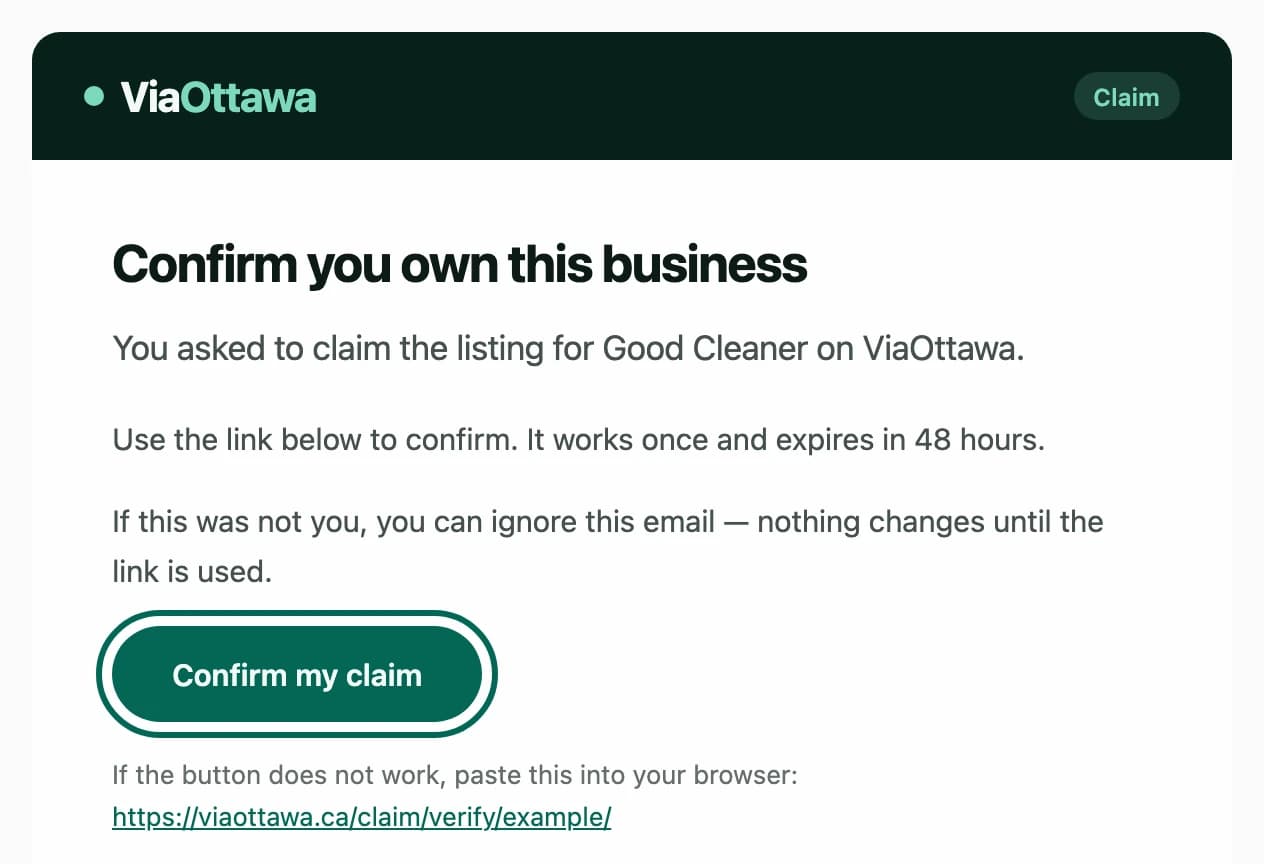
A person reviews it
Someone at ViaOttawa checks that the claim matches the business at that address, then approves it, and we email you when the listing is yours. If someone else already holds the listing, the form says so: write to us if you think that is wrong.
Edit your listing
Once a listing is yours, you can change it whenever you like.
Open your listings
Sign in and go to Your listings. Every business you own has an Edit details button.

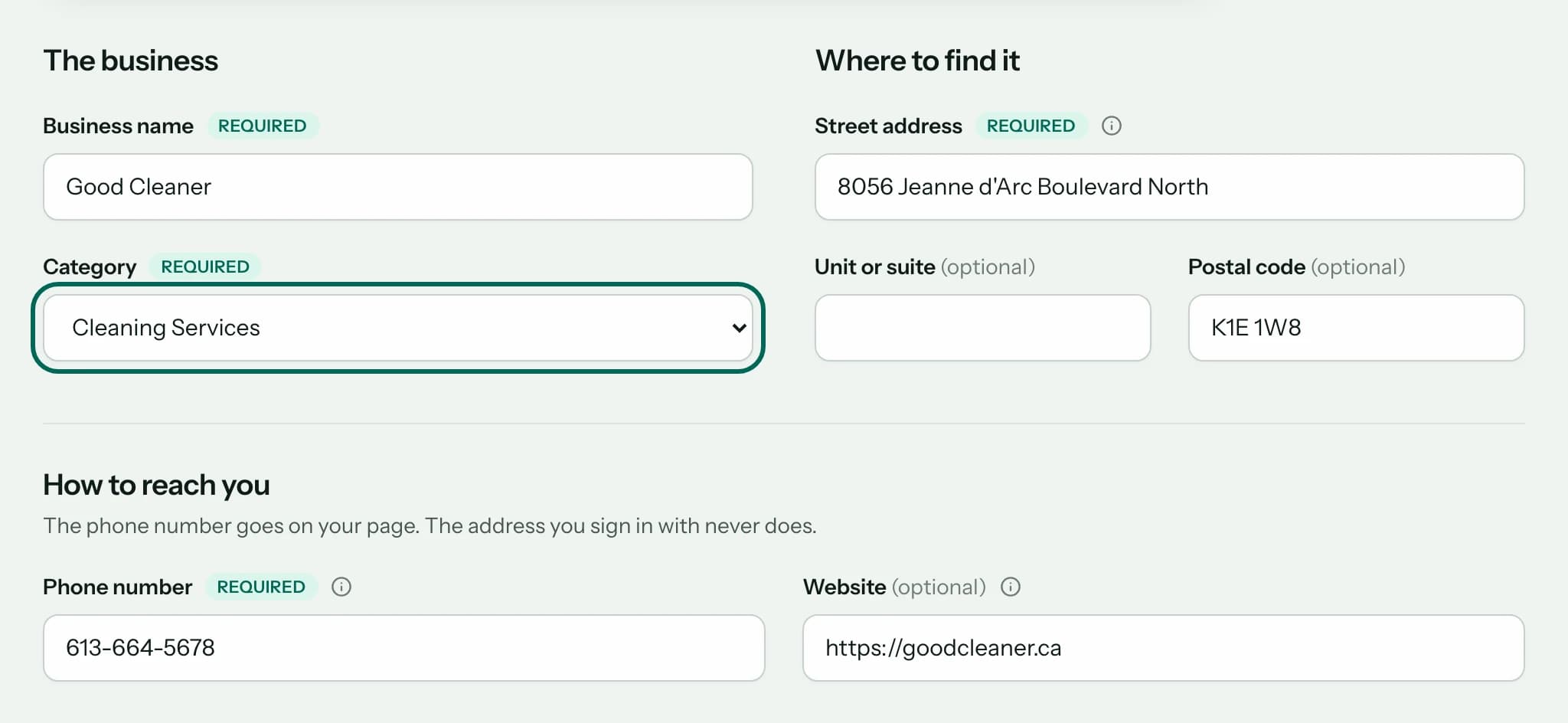
Change what you need
The form holds everything on your page: the name, the category, the address, the phone number, the website and the descriptions.
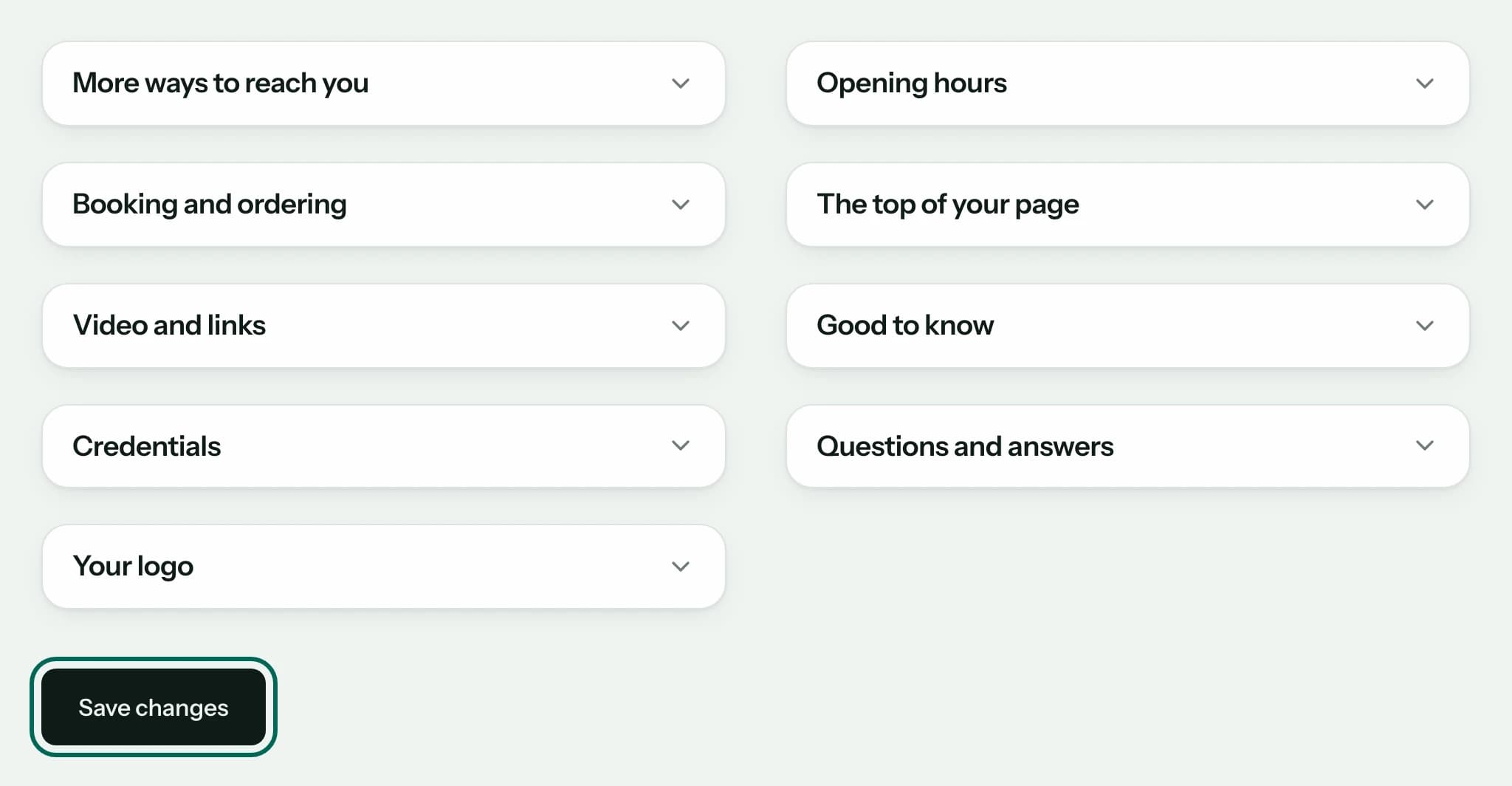
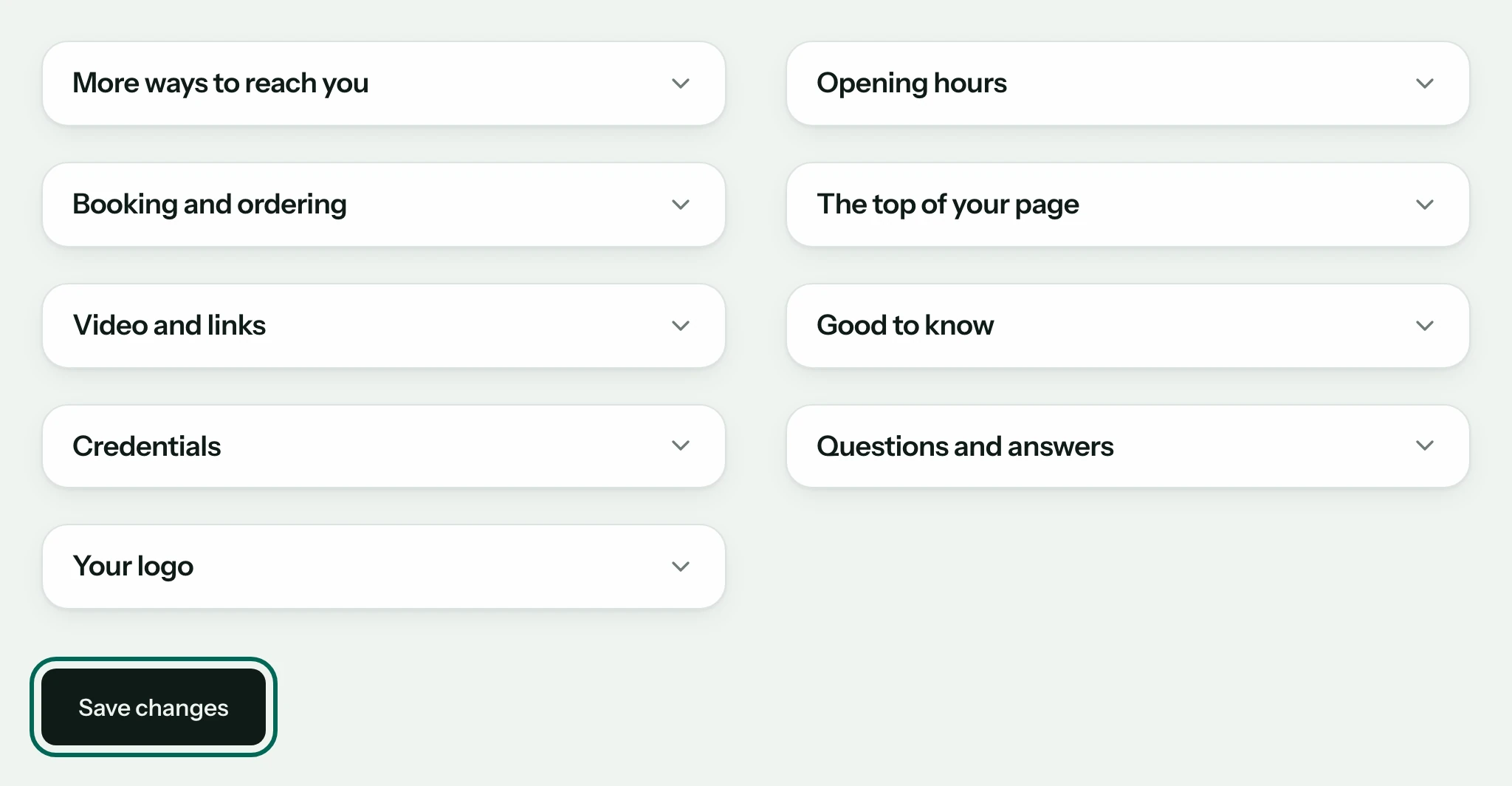
Open a section for more, then save
Opening hours, booking links, questions and answers and your logo are in the sections further down. Press Save changes when you are done.
Most changes show on your page straight away. Some are read by a person first, and your page stays as it was until then.

Correct or remove a listing
You can ask us to fix a page or take it down, whether or not you have claimed it. There is no button that deletes a listing: a person does it when you ask. We never charge for a correction or a removal.
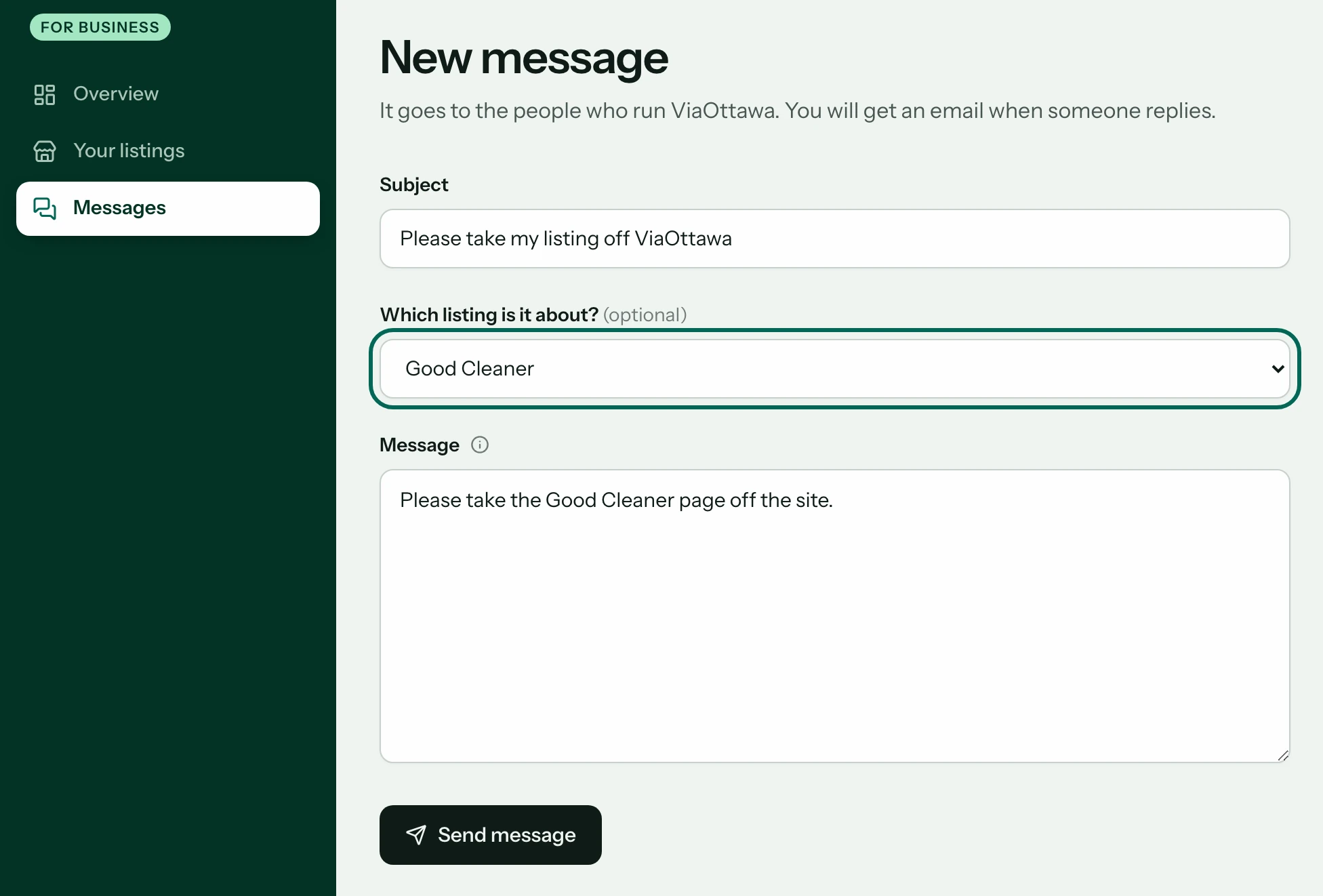
If you have claimed it, write from your dashboard
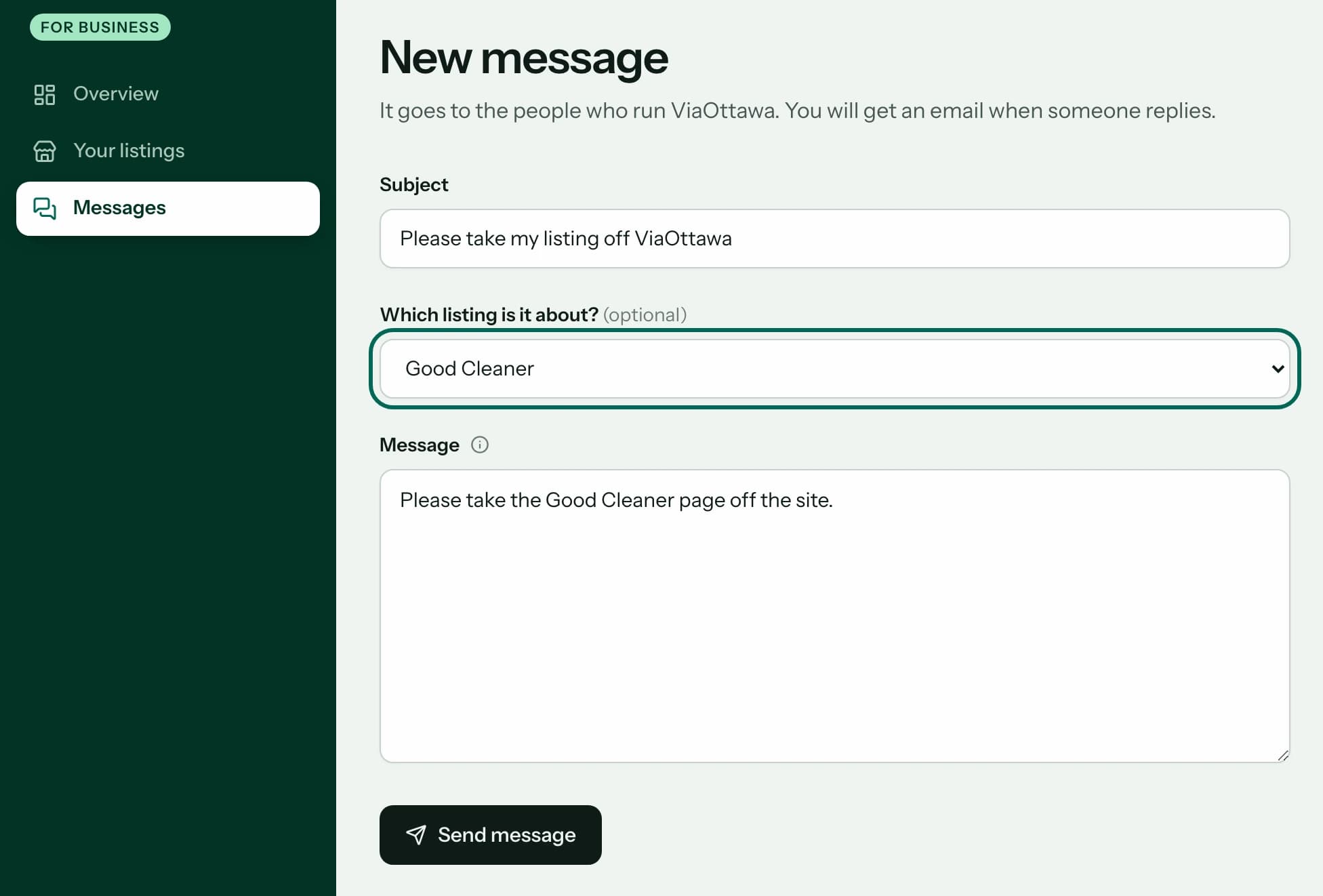
Sign in and start a new message under Messages. Choose the listing, say you want it taken down, and press Send message. It comes from the account that owns the listing, so we know it is you.
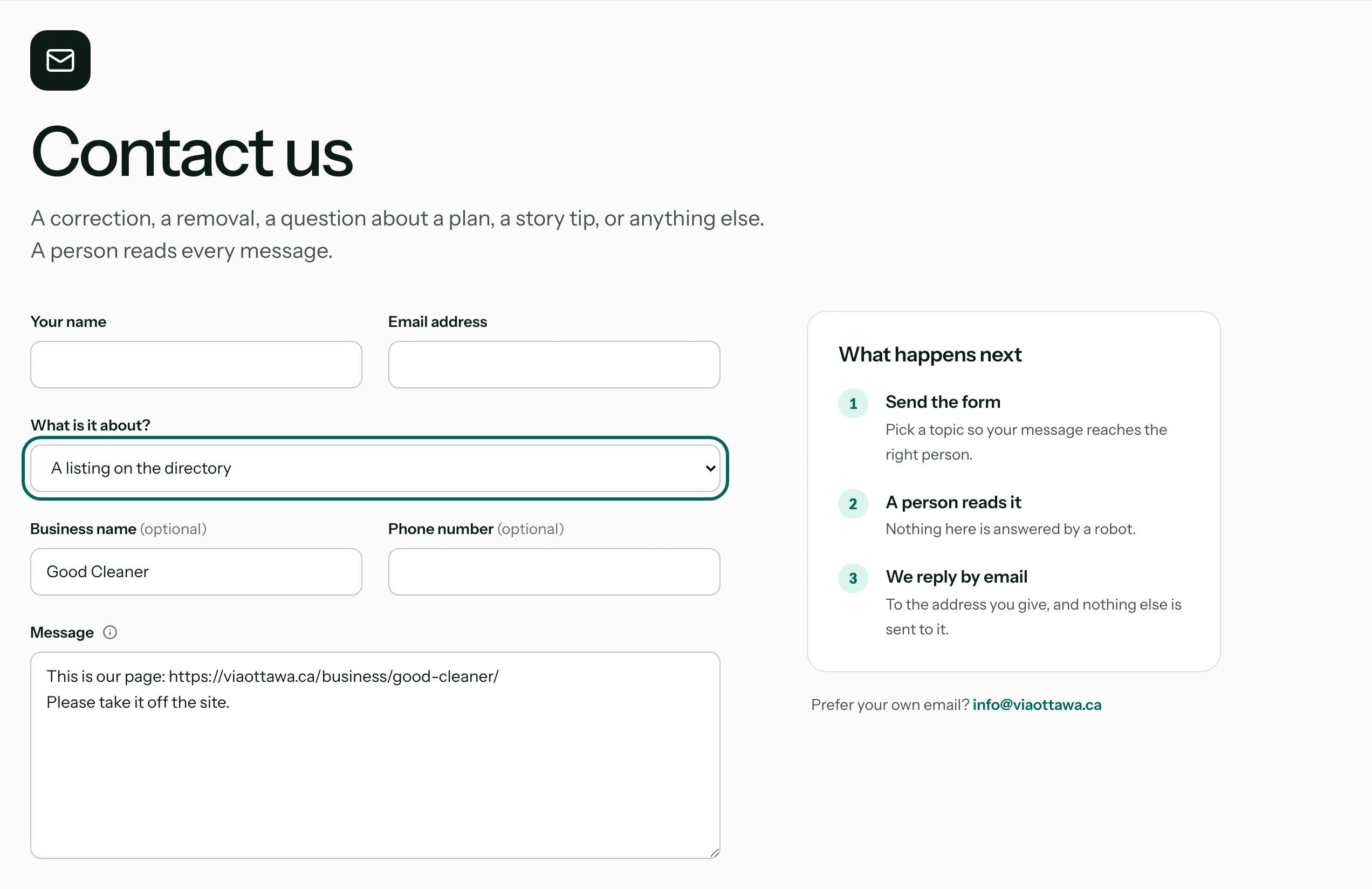
If you have not, use the contact form
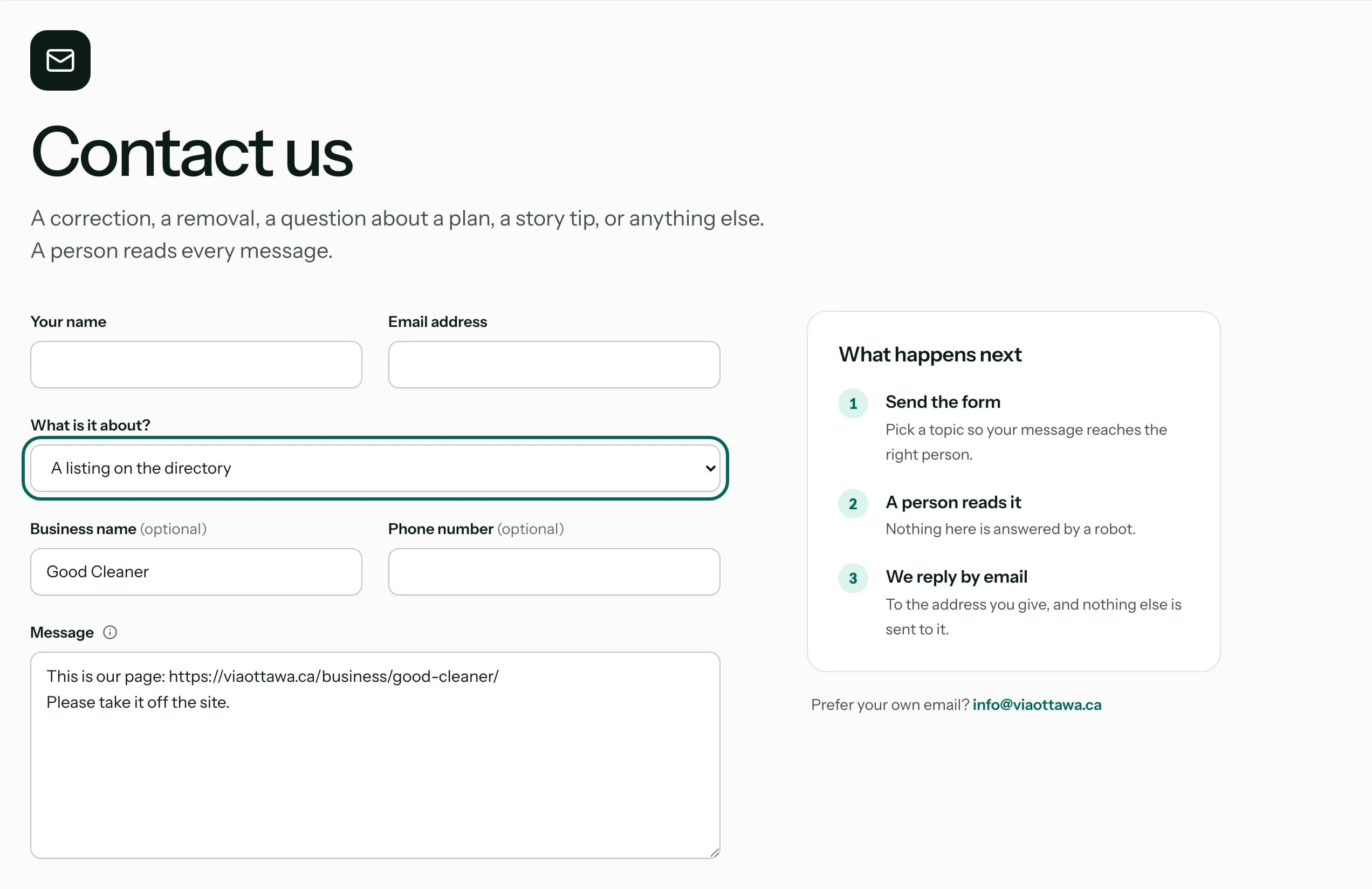
Open the contact form and choose A listing on the directory. Paste the address of the page and tell us what is wrong, or that you want it taken down. You do not need an account.
A person does it
We correct the page, or take it off the site unless we are required to keep publishing it, and reply by email. A listing we take down is not brought back by our data imports, and it leaves your dashboard too. If you change your mind, write to us and we can put it back.
Where the listing came from a public dataset, such as the City's open data, removing it here does not remove it from the source.